How to configure parallelism in Terraform Cloud
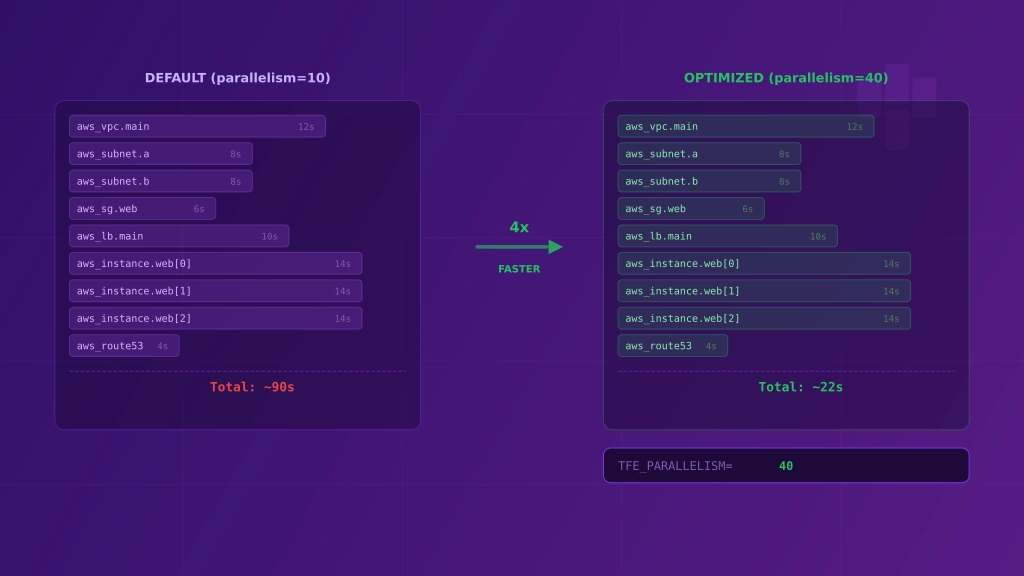
In my previous post I showed how to enable debug logs. Today I want to present how to improve terraform plan and terraform apply speed by configuring parallelism.
Terraform by default runs 10 concurrent operations. To reduce execution time on plan or apply operation we can increase this parameter.
By increasing parallelism you can hit the rate limit of your provider. Some cloud providers (like Cloudflare) inform about the number of API requests allowed in a period of time. Hitting the limit can impact your deployments.
TFE_PARALLELISM variable
The easiest way to increase parallelism in Terraform Cloud for Remote Execution is the TFE_PARALLELISM variable. It just requires a number. To set this you need to perform those steps:
- Select your workspace,
- Go to Variables tab,
- Add variable in Workspace variables panel and create
TFE_PARALLELISMvariable: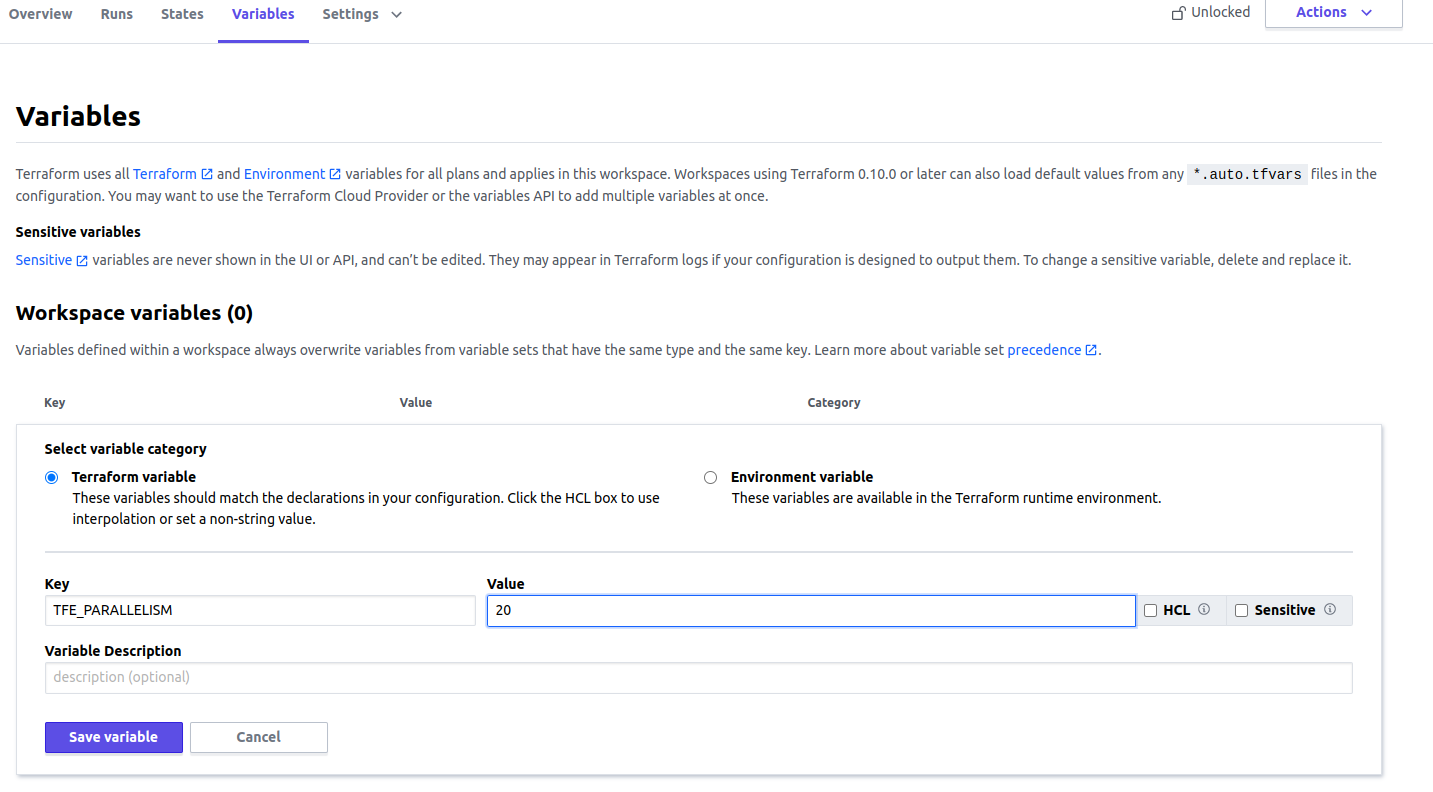
Ensure you have selected Environment variable button
The change should be available on next execution.
Manage parallelism for each stage of execution
Terraform CLI allows configuring parallelism differently per command (terraform plan, terraform apply or terraform destroy). In Terraform Cloud we can also do this. In these cases, use TF_CLI_ARGS_plan="-parallelism=<N>" or TF_CLI_ARGS_apply="-parallelism=<N>" environment variables instead of TFE_PARALLELISM.
I prefer this way because it allows being more granular. I want to run plan fast because it makes a request about every resource.
To set TF_CLI_ARGS_plan="-parallelism=<N>" or TF_CLI_ARGS_apply="-parallelism=<N>" parameters perform same steps as in instruction written above for TFE_PARALLELISM.
Manage the variables in a single place
I showed how to configure a variable per workspace. Terraform Cloud allows configuring a Variable set which can be attached to each workspace, so we don’t need to repeat ourselves for each workspace.
To configure Variable set do:
- Go to your organization Settings
- Select Variable set tab and click button Create variable set
- In Variables panel you need to define your variables
What is left is to attach the variable set to your workspace, or you can enable this set for all workspaces in the organization.
Variables set has lower precedence than workspace variables. Definition of the same variable in workspace will be used in execution. Here you can read more.

Senior Platform Engineer